You have to be happy with the stock Android keyboard - and for good
reason, it's a solid and dependable option. That doesn't
necessarily make it the most fun, easy to use or most productive option
available. So we've put together a list of some of the best Android
keyboards available for download today.

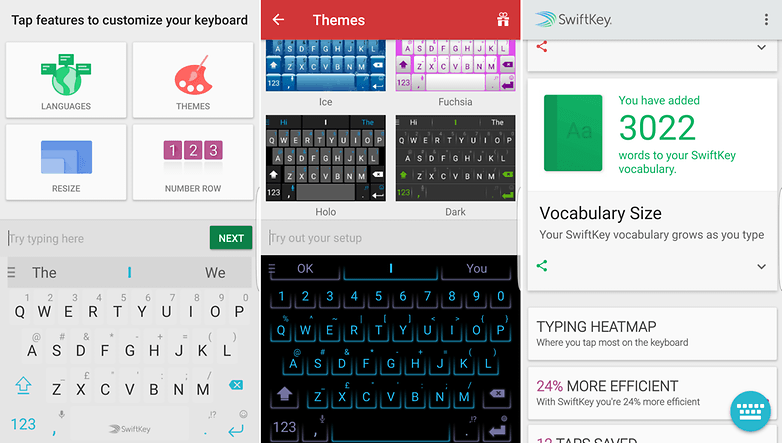
SwiftKey
You're probably familiar with, or at least know
about, SwiftKey's Android keyboard app. A few months ago the company
rebuilt the entire app to make it smarter with its predictions, as well
as adding a couple of other neat features. The main bulk of what you
should know though is that it offers predictions for key-by-key and
swipe input and a variety of different sized keyboards to fit all needs,
you can't freely resize it though, as you can on some.
There's
also a good range of default themes you can apply to the keyboard, and
if you want more there's a whole theme store where you can buy them
individually or in packs. You can also choose to enable a separate
number row across the top of the keyboard, or integrate the numbers into
the top row of letters. SwiftKey is also a good option if you need to
install a number of different languages too.
The thrust of its
appeal, however, is in the accuracy of predictions, which will continue
to improve as you use it. SwiftKey isn't the most exciting option on
this list, but it's been around a long time now and provides a
dependable, customizable option.
Add in stats for most frequently
used words (and which categories they come from) you can see how much
time you've saved by using SwiftKey, so there's enough to warrant
checking it out if you haven't recently.
Microsoft Hub Keyboard (Preview)
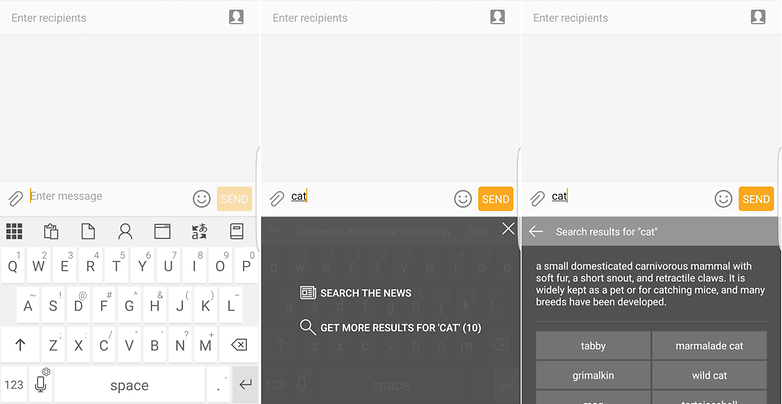
Microsoft's Hub keyboard
might seem like an odd option in this list, but it brings some options
that will be of particular interest to users tied into Microsoft's
software ecosystem via Office365. You may have also guessed that it
focuses more on delivering productivity over fun.
As
such, if you sign in with your Office365 account you'll be able
to search your documents or contacts directly from the keyboard. Even if
you don't, the options shown above the otherwise mostly standard QWERTY
include quick access to the clipboard, Web search (Bing, naturally) and
thesaurus tools. Perhaps the best part is the ability to get live
translations from one language to another as you type.
However,
while it's smart in some ways, it's pretty limited in others -
primarily the ability to customize the layout or theme. You can
switch to a dark theme but that's your only other option and there
aren't any size controls for the keyboard at all, which could make it a
poor option for larger phones.
It is free though.
Swiftmoji
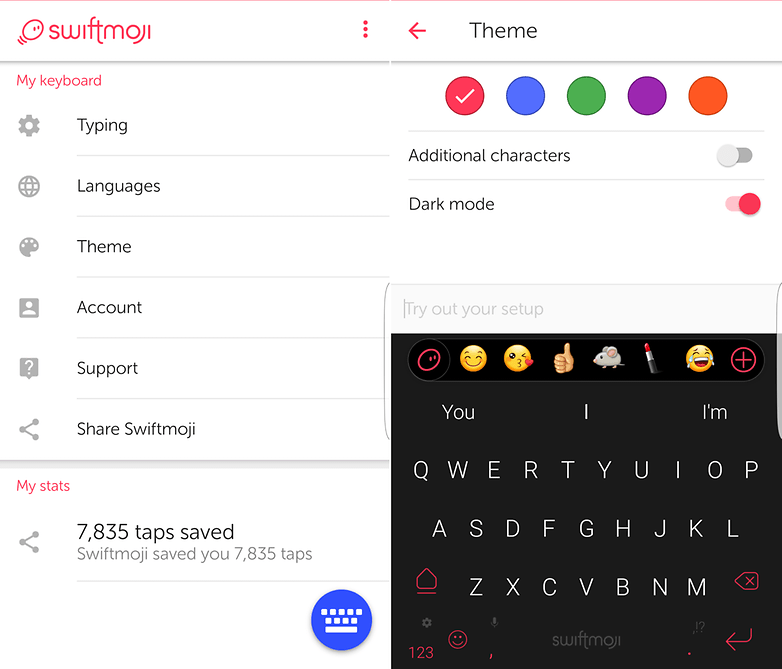
Yes, yes, it is the second keyboard from SwiftKey
in this list but it also happens to be one of the better emoji keyboards
available on Android. While it's not the same feature-laden affair the
main app is, it does offer up predictive emoji based on the words (and
context of the words) as you're typing, which comes in handy if you find
yourself using them a lot. While it's not perfect, it's pretty good for
a free app.
It doesn't offer access to the same level of
customization as with SwiftKey, though you can still select from preset
color schemes or enable a
Dark Mode at night. You also get some of the same stats available in the main SwiftKey app, like taps saved, words swiped, etc.
As
with the main app, for the best predictions you'll need to sign in,
give it permission to access your messages and use it for a while.
Minuum
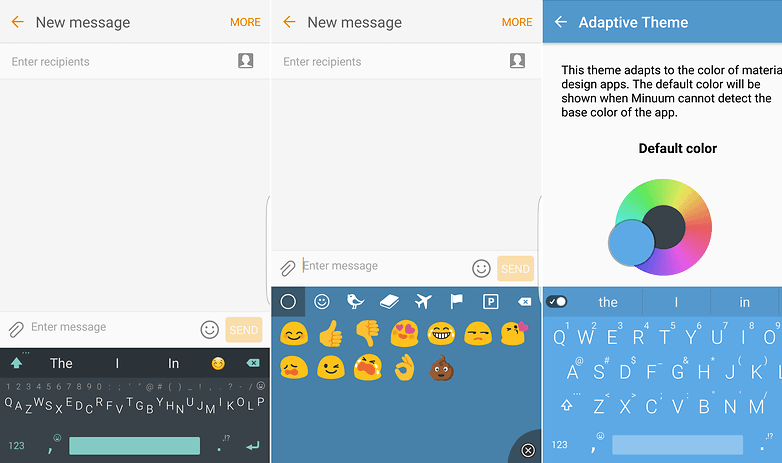
Minuum is a little different to others in this list,
as rather than employ a swiping method in conjuction with a predictive
word engine that's really pretty smart. Its main way of doing this is by
reducing the multi-line qwerty into just two lines of characters, which
is where the smart predictions come in handy as this means you don't
need to hit the right letters very often.
You can, of course, use
Minuum in its non-minimized mode too. Here you get the full keypad and
numbers, but the main thrust of the keyboard is that small row of
minimized keys. You can also access different emoji from both expanded
and minimized keyboard modes, and switching between modes is as easy as
dragging the keyboard up or down.
It's a potentially unnatural way
to use a keyboard when you first try it but, providing you stick with
it, you'll almost certainly get faster. Whether or not you'll be able to
go back to a normal keyboard so efficiently is a different question. It
does offer support for a range of languages and the ability to change
the keyboard theme too, and there's an option that changes multiple
times throughout the days automatically.
Now for the stinger: it's
not free. Well, there's a free 30 day trial, but if you want to keep
using all the features after that you'll need to pay $2.99. You should
be able to work out if it's useful to you within 30 days though.
Chrooma
Chrooma is one of the lesser known keyboards in this
list but it's definitely one of the most customizable. That said, you'll
need to either pay for individual in-app purchases or opt for a one-off
fee of $2.49 if you want to unlock all of the options. If you do choose
to pay for those features or perhaps just want to sync your preferences
between devices, you'll need to sign in with a Google account.
Even
if you don't pay for anything or sign in with your Google credentials,
Chrooma is still fairly customizable in different ways and provides a
wide feature set that makes it a good all-rounder. For example, you can
input letters individually or use swipe input without needing to change
any settings and the word predictions are fairly solid, though not
always perfect. Plus it has all the staples like emoji support and a
simple night mode.
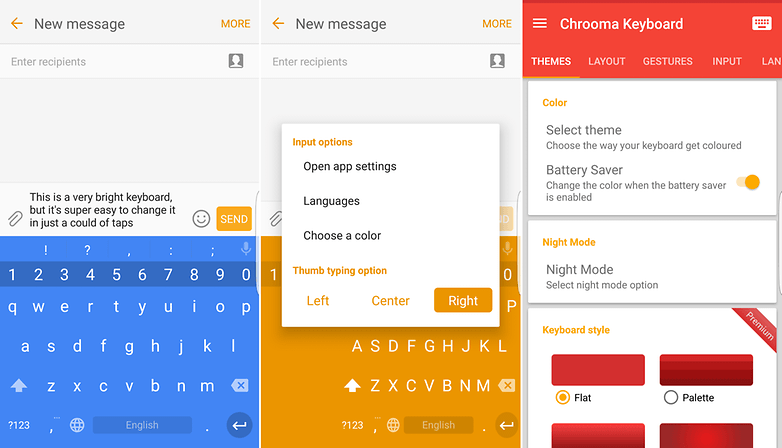
Perhaps best though is the thought that's been put into accessing the options. Yes, you can go to the main
Settings menu
within the app, but you don't need to thanks to gesture support for
common functions, like switching between one-handed mode with just a
swipe of the keyboard in either direction or changing the keyboard color
without switching themes.
Tenor GIF Keyboard
Tenor GIF is probably one of the most fun
keyboards in this list, and that's because (as the name implies) it's
all about GIFs. That, however, doesn't make it unique. What does make it
unique its ability to show them to you really quickly, which means no
more waiting around to for GIFs to load only to find you need to tweak
your search terms.
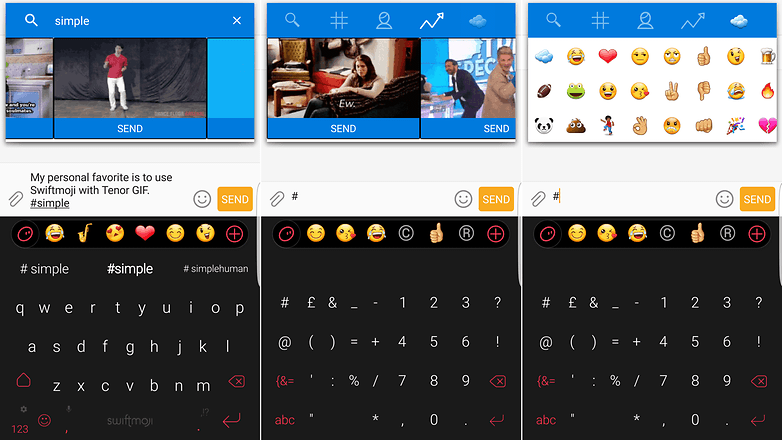
It's different to the others ones on the list
as it doesn't provide its own keyboard as such. You use whichever one
you prefer and Tenor GIF extends the functionality by allowing you to
search and insert a GIF by typing the # and then a search term. It
supports searching by GIF too.
In this instance, as is my
preference, I've used it alongside Swiftmoji. This means I've got access
to GIFs, emoji, swipe or type input and a few customization options all
within my keyboard setup. You might prefer a more productivity-focused
approach though.
If you don't use Swiftmoji, you can still search by GIF by tapping the icon next to the trending tap in the Tenor GIF popup.
Gboard
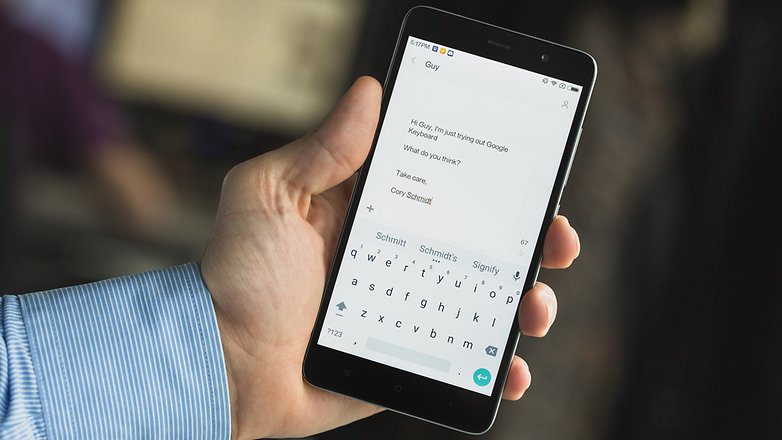
The Google keyboard offers a simple and clean
interface, but also many smart features. In addition to a modern look,
the text-to-speech function allows you to write messages with your
voice, and it recognizes many different languages. This keyboard is
found by default on Nexus and Pixel smartphones. Just like Swiftkey,
Google's keyboard remembers everything you type and is able to optimize
its suggestions.
Swype
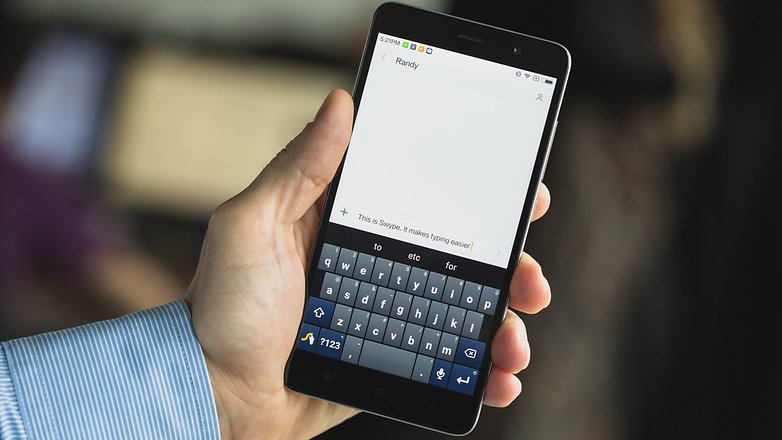
Swype is one of the first to have launched a swiping
keyboard for Android. Overall, it offers the same thing as SoftKey, but
with somewhat different ergonomics. The application also uses Artificial
Intelligence to learn your writing style and adapt its suggestions,
even for emoji. The interface is very clean.
There is a wide
variety of options, including an intriguing "thumb" mode that creates a
space between the left half and the right half of the keyboard. In
addition, it is excellent for managing multiple languages and is one
of the only keyboards on which you do not need to manually switch
between them. Simply select the languages you want to use in the
settings, and text predictions and special characters will automatically
work for all languages. It's very clever.
Fleksy
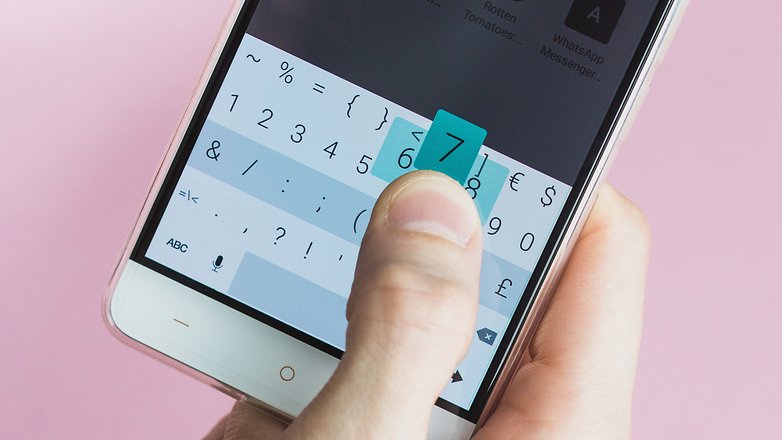
Fleksy allows you to write messages quickly, without
sacrificing your desire to personalize your phone. Forget the old and
boring black and white keyboards! Say hello to color! Many themes are
available free of charge from the application, or there are paid ones if
you so desire.
Fleksy, also allows you to send emoji, stickers
and GIFs directly from the keyboard. You can also select predicted words
as you type or customize the size of the spacebar to suit your
needs. Finally, you can swipe to access different features, like
autocorrect.
**********************************************************************************

 While this is great news for those who tend to chat with their peers at night, this will end up hurting the jailbreak community.


/cdn.vox-cdn.com/uploads/chorus_asset/file/9570105/1_qPO0hgT6iX4Iz7PKh_gJiA.png)